Thursday, May 14, 2020

What is programming? | Basics of programming ---> print( ) function


Programming languages can be considered as a toolbox with different tools to implement our ideas.
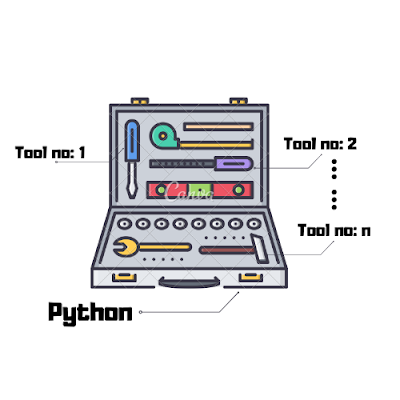
Let us consider Python as a  toolbox with different tools inside them. We don't really require all tools at the same time for writing a program.


Let's take an example:


I am going to introduce you, a new tool from our toolbox Python which is the 
print() function.


print( ) function  is a function which outputs whatever messages  you want to  print  out.


Tuesday, May 5, 2020

Python:A brief history


Python is a


  • High level Language
  • Huge Community
  • Cross Platform
  • Large Ecosystem


  •  Guido van Rossum  created Python
  •  Python was first released in 1991

There are mainly 2 versions of python.
  1. Python version 2.0 
  2. Python version 3.0


  • There is no perfect programming language with all the features available.


  • All the programming languages are constantly being updated, to make it better and better.


  • Python got its name from Monty Python , a  british comedy group.


Friday, January 10, 2020

Programming Language: Definition & Types


   Programming language

       Definition :
  • A programming language can be considered as a tool to implement our ideas .


  • It consists of commands and instructions which are used to create programs or software.


  • Usually, programming languages that programmers use to write code are referred to as High Level Languages.


  • Example: Python , C , Java , C++ , JavaScript etc.


Programming languages are mainly divided into two :


  1. High Level Languages 
  2. Low Level Languages

Friday, December 27, 2019

How to check current version of python in Linux?

Step 1:

Open the terminal ,


Step 2:

Type  python3  --version and Press Enter.


Step 3:

Now ,the current  python  version will be displayed.

Here, its Python 3.6.9         [updated on Dec 27,2019]


How to install python on linux ?

To install python in linux,

Step 1:    

Open the terminal,


Step 2:

Type  sudo  apt install python3 and  Click Enter.


Step 3:

Now, Enter your password [if any] to continue the installation and then, Python will be installed successfully.


Wednesday, December 25, 2019

Tuesday, December 24, 2019

How to install python in Windows ?

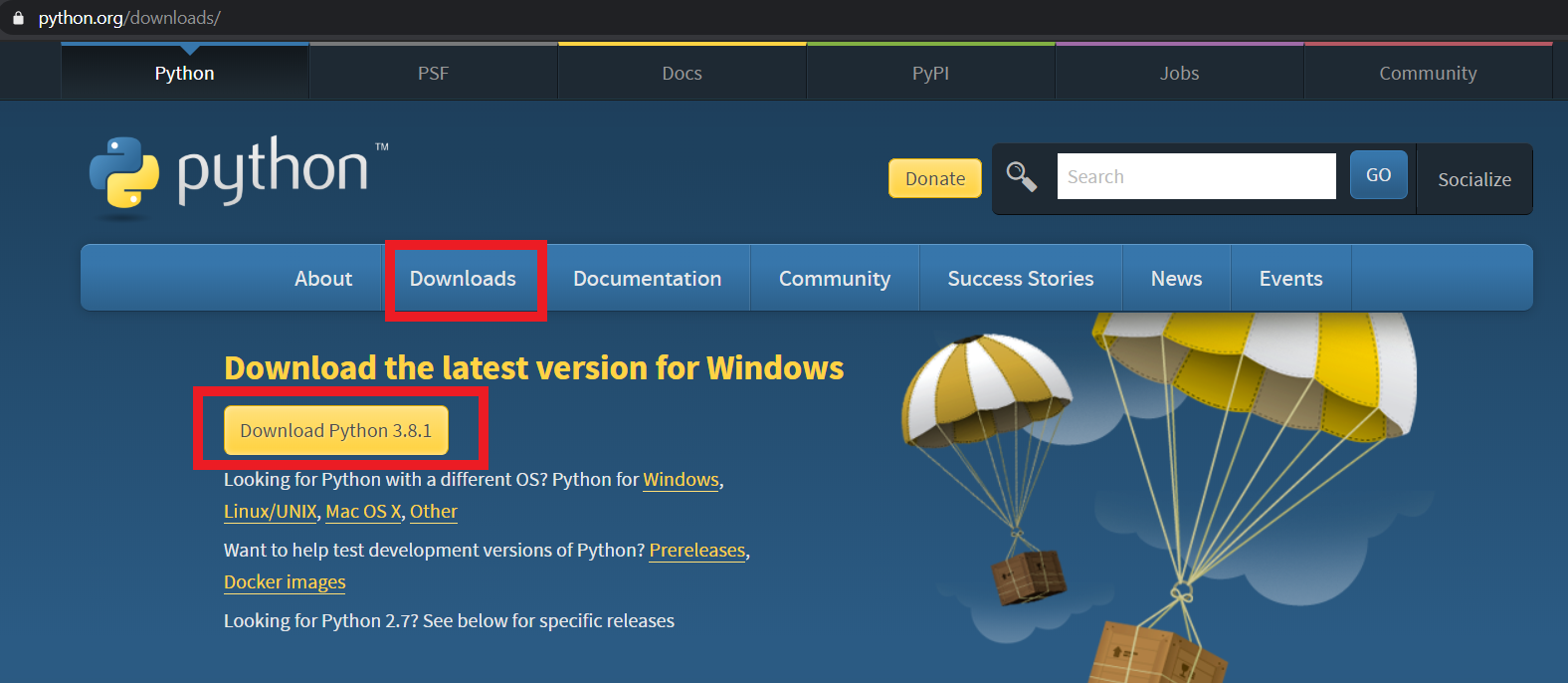
To install python ,Open your web browser.

Step 1:

Type python.org


Step 2:

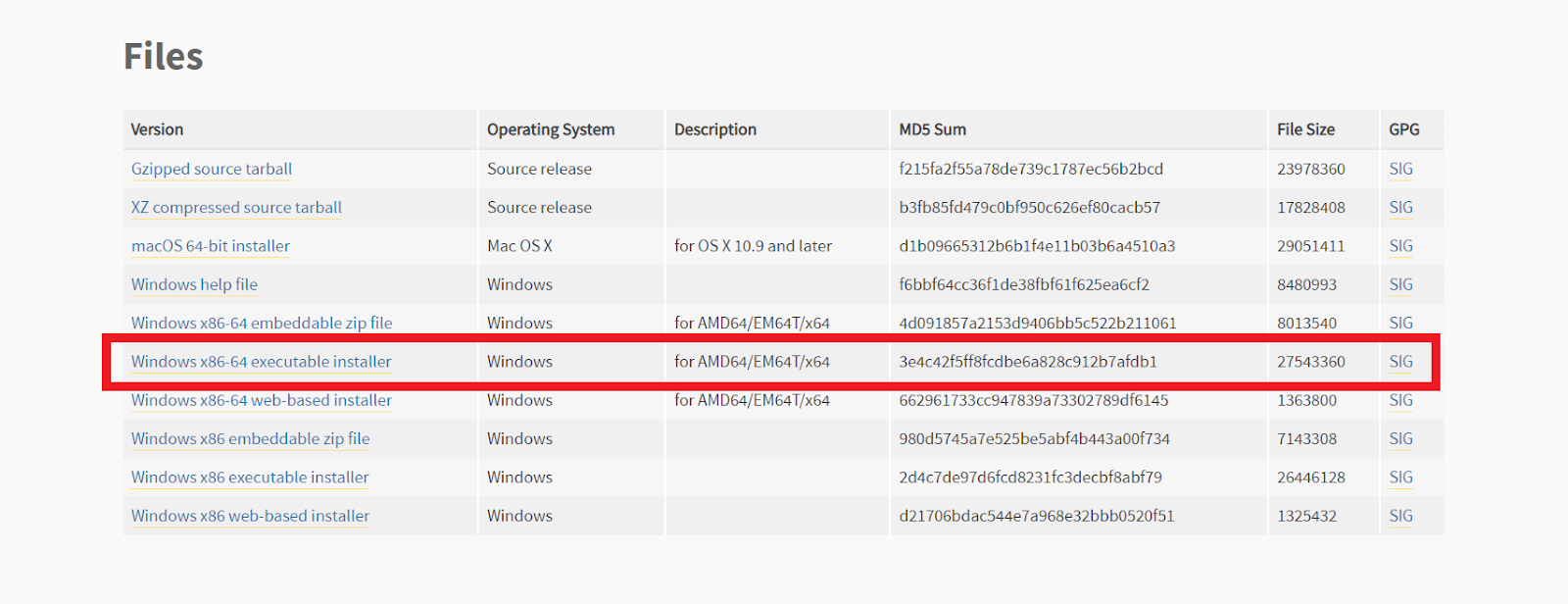
Select on the Downloads option and then Click Download Python 3.8.1. and then Select Windows x86-64 executable installer.

[If,at the time when you are downloading,there may be a newer version available,so don't worry,just download the latest version]


Step 3:

Download will begin,